
The Access section enables you to assign permissions such as View Only, Book, or Book and Fly for each user. You can configure default access settings or customize permissions individually for each user.
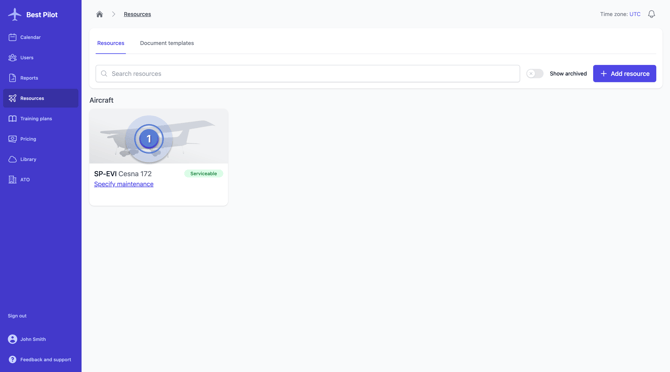
1. From the main menu, go to the Resources section and select the Aircraft for which you wish to configure access (1)
2. Navigate to the Access tab (2)
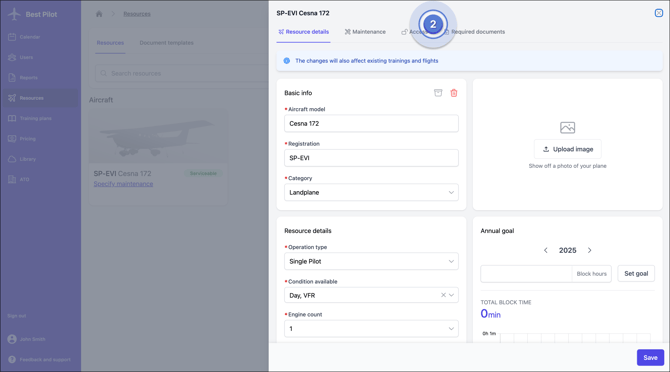
3. The following fields are available:
Default Instructor access (3) – Configure default permissions for all Instructors
Default Student access (4) – Configure default permissions for all Students
Individual user access selection (5, 6) – Assign custom permissions to specific users
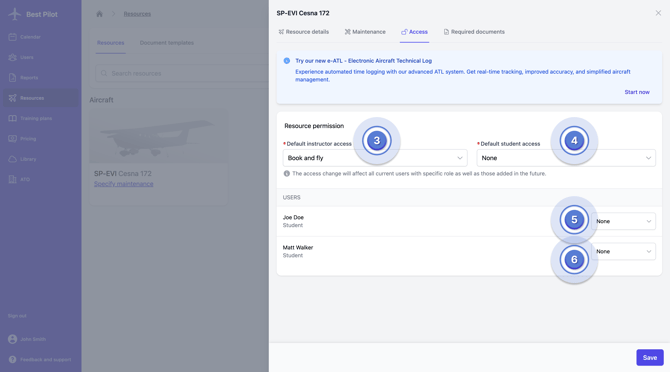
Changing the default access settings will override any previously configured individual permissions for specific users, replacing them with the new default access level you have selected. Please verify that you intend to update permissions for all affected users before proceeding.