What is a bulletin?
This is a way of conveying a message for a specific group of recipients to familiarize
themselves with.
Follow the sequence to learn how to add Bulletins to the Best Pilot environment.
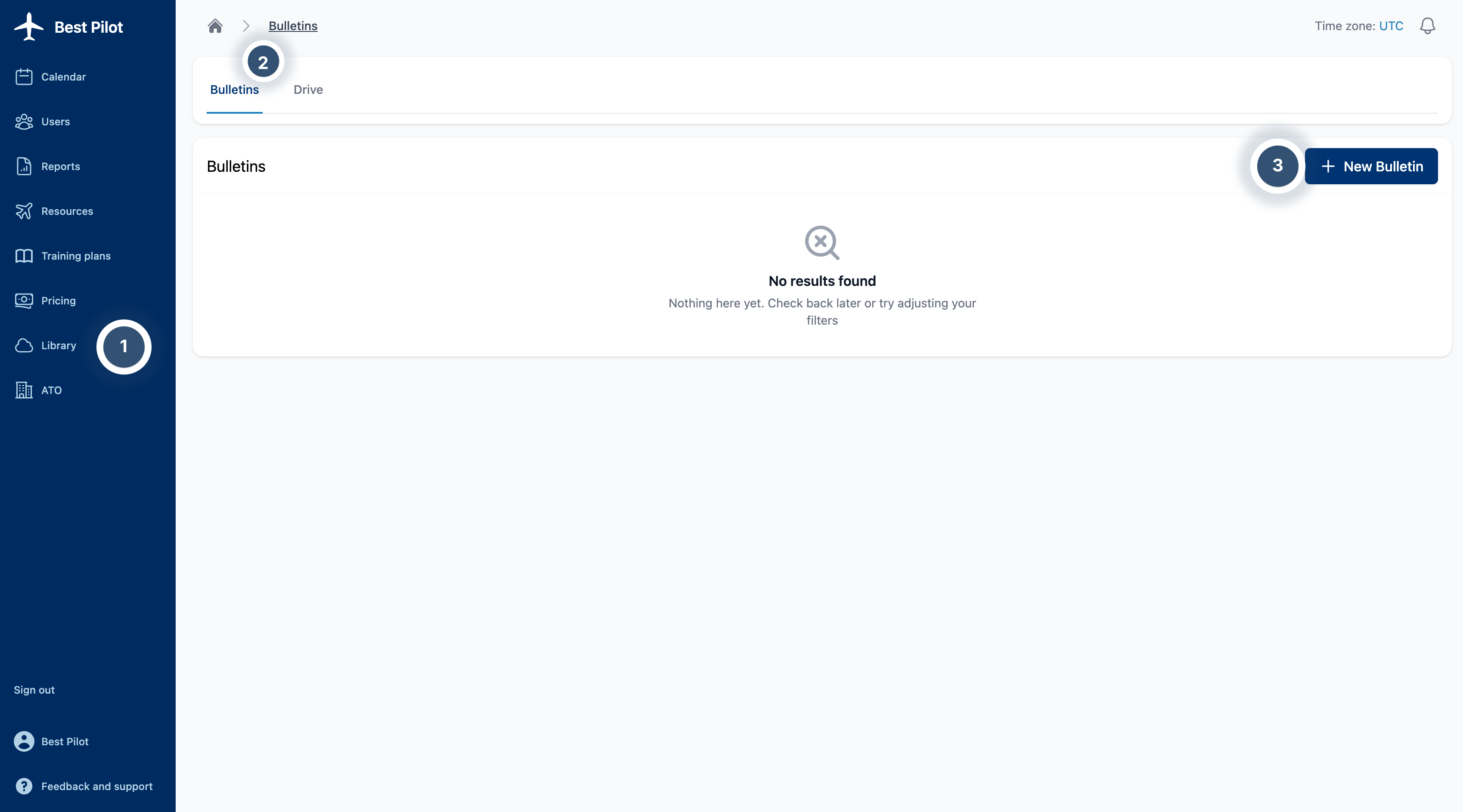
1. Sign as Administrator to your Best Pilot and select the Library module from the panel. (1)
2. Select Bulletins bookmark. (2)
3. Select New Bulletin button. (3)
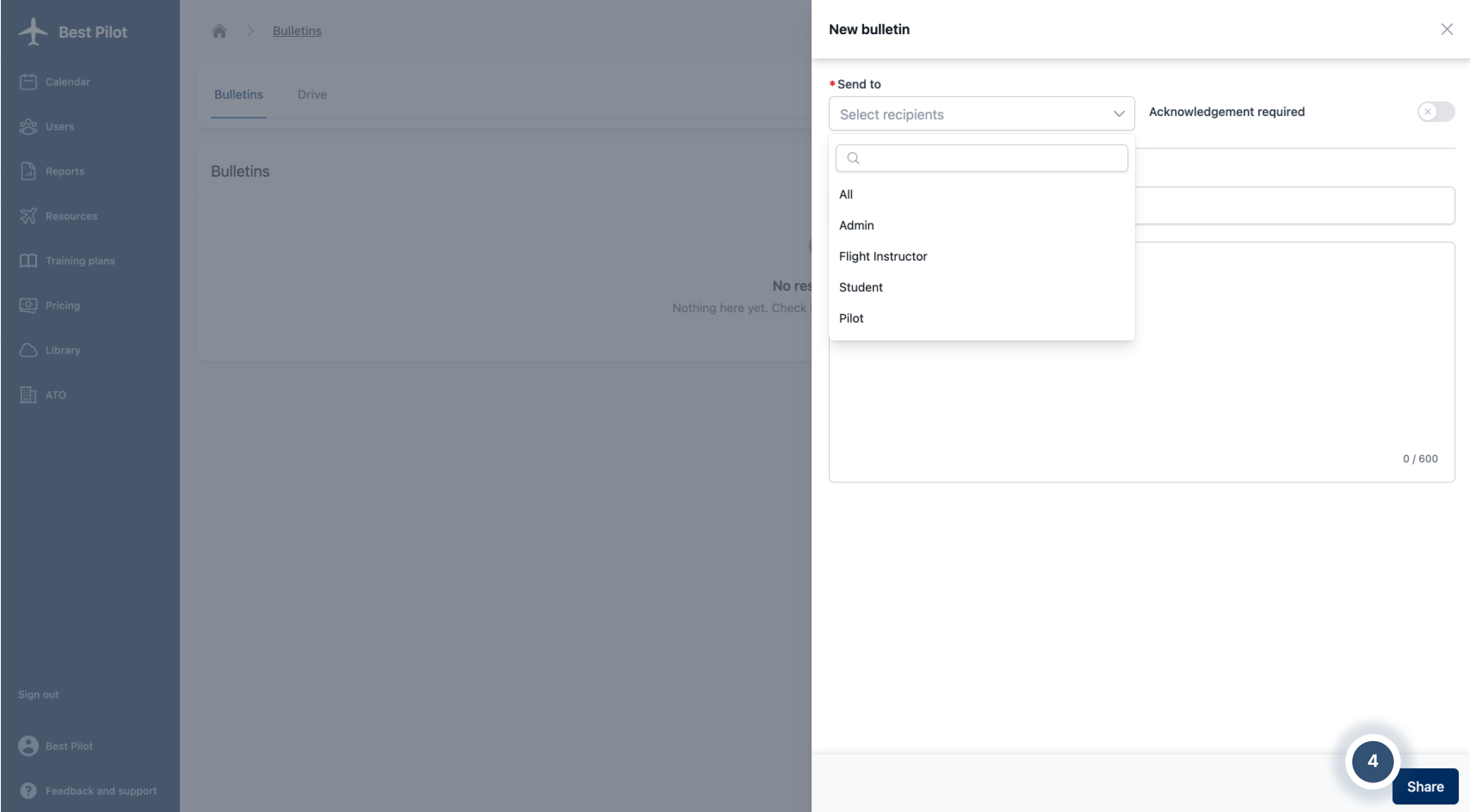
4. The New Bulletin addition form will appear on the right side of the page.
5.Fill out the form with recipients in Send to line and select if you want to make reading the message mandatory.
6. Insert Topic and Description if you want to develop the message.
7. If everything is set, you can select the Share button. (4)
NOTE:
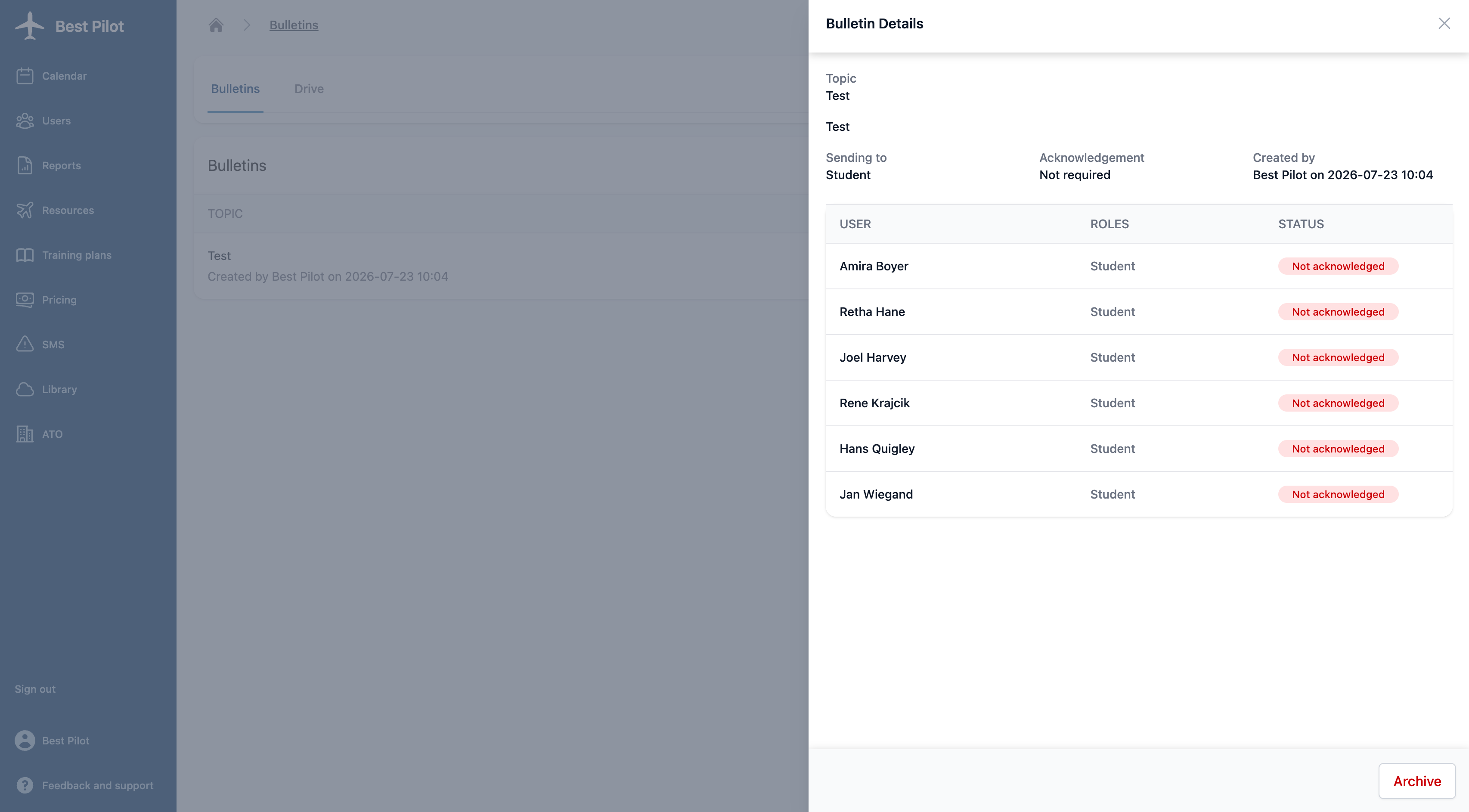
Later on, you can check who acknowledged your Bulletin and archive it.