Follow the sequence to learn how to connect to your Google Drive in the Best Pilot environment.
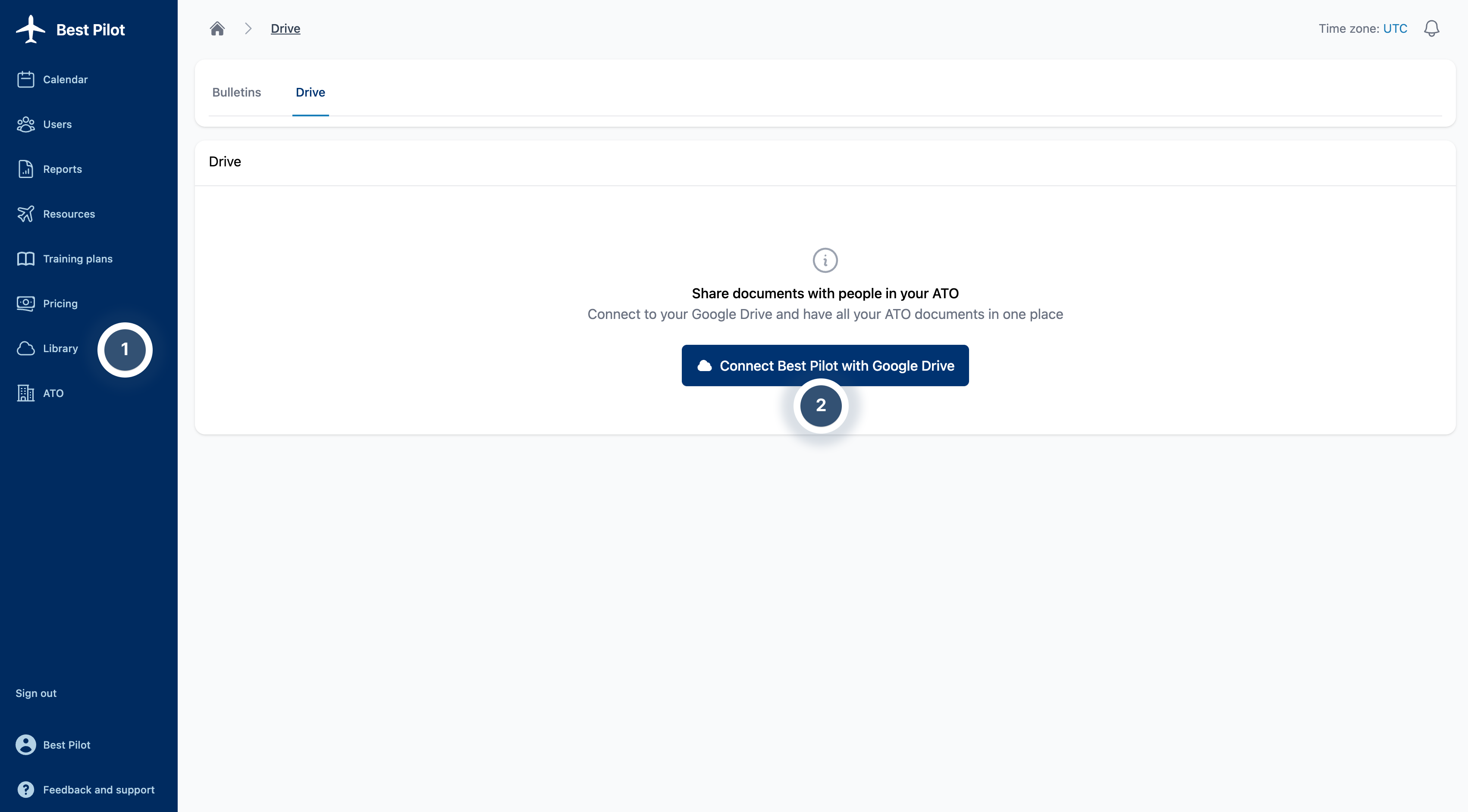
1. Sign as Administrator to your Best Pilot and select the Library module from the panel. (1)
2. Select Connect Best Pilot with Google Drive button. (2)
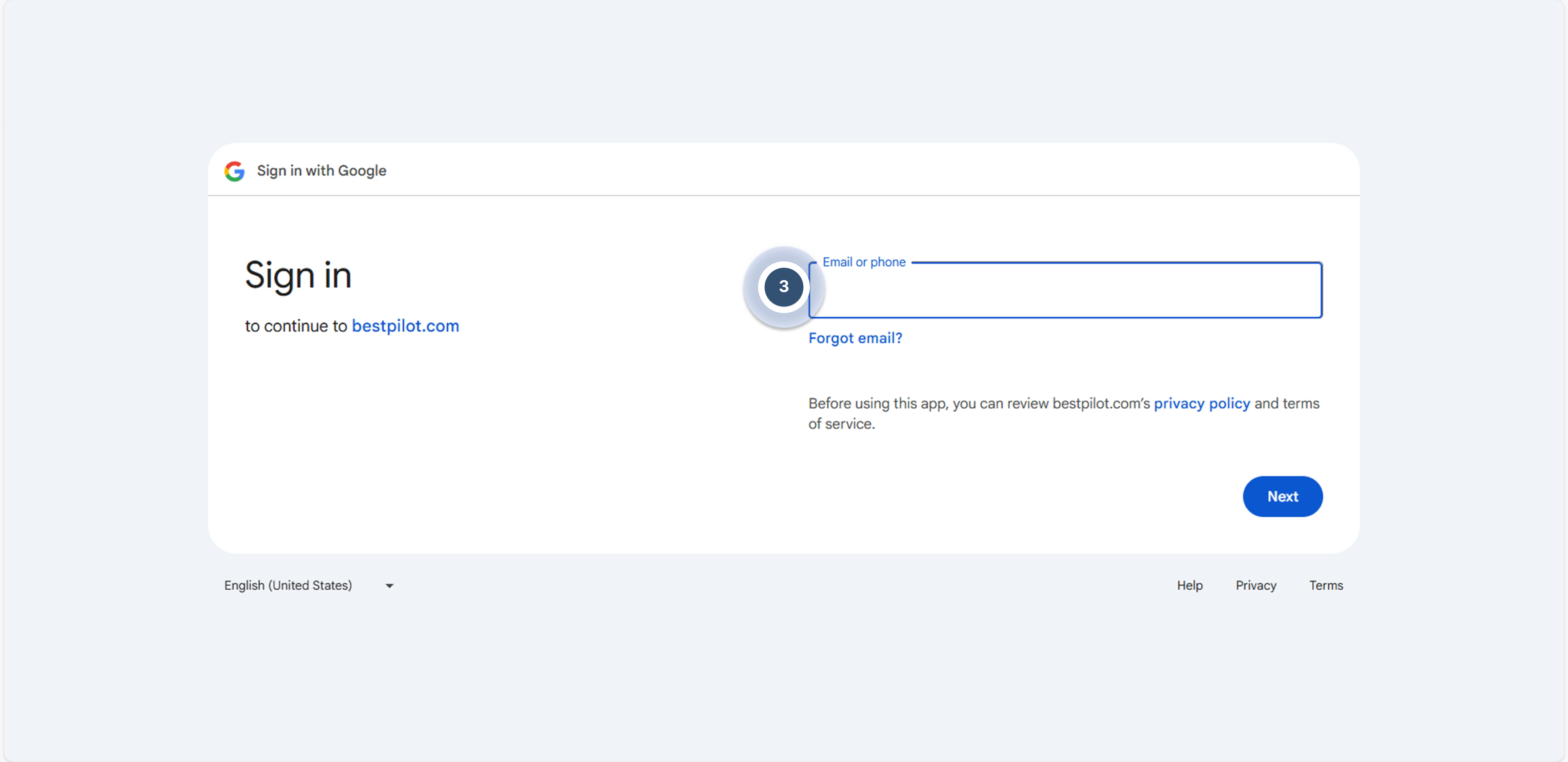
3. You will be redirected to a page where you can log in to your account linked to Google Drive that you want to use. (3)
4. Log in and everything is set.