
To ensure that a student or pilot possesses all required documentation before operating an aircraft, the system provides tracking and verification features designed to support regulatory and safety standards.
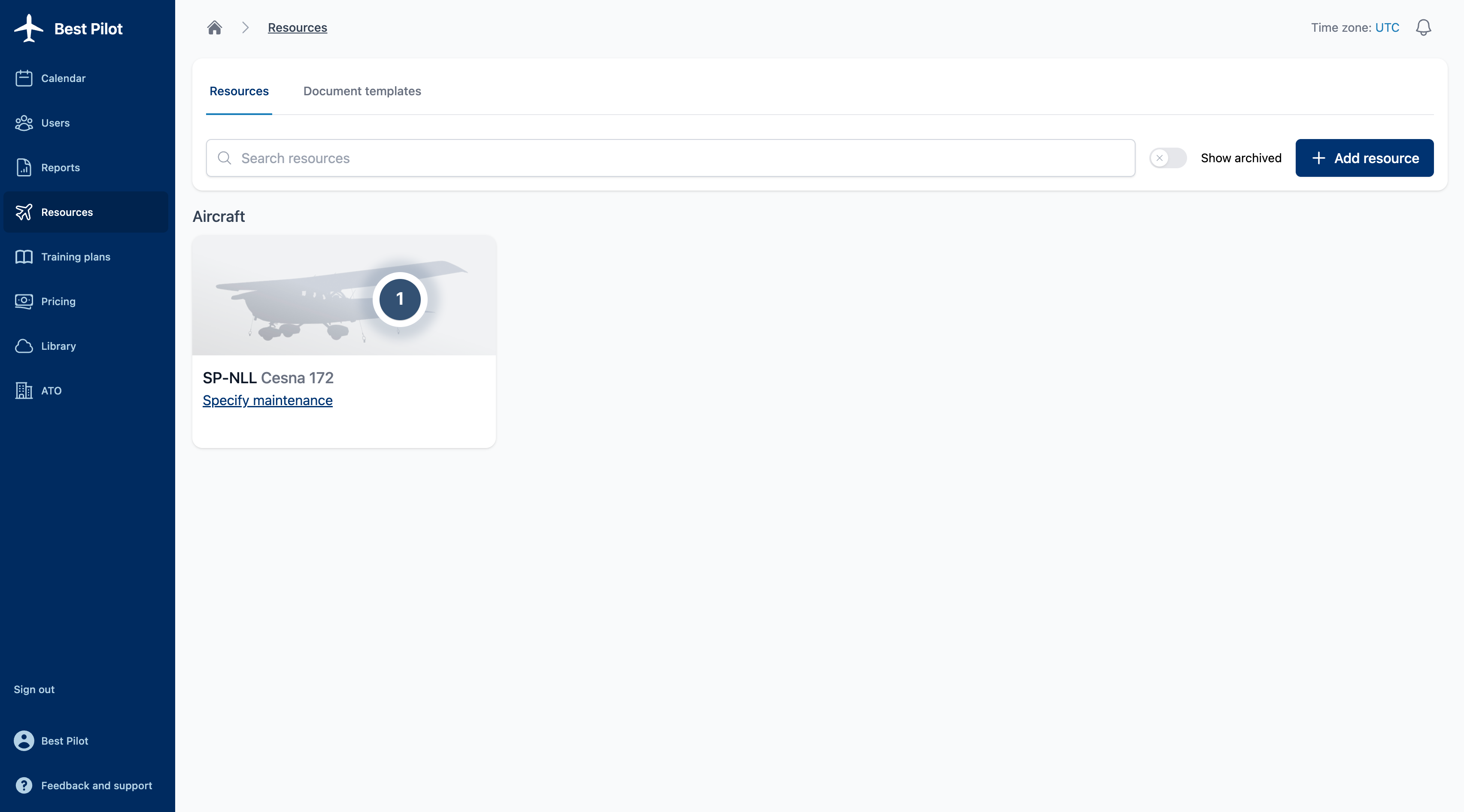
1. Navigate to the Resources section from the main menu and click the Aircraft you want set required documents (1)
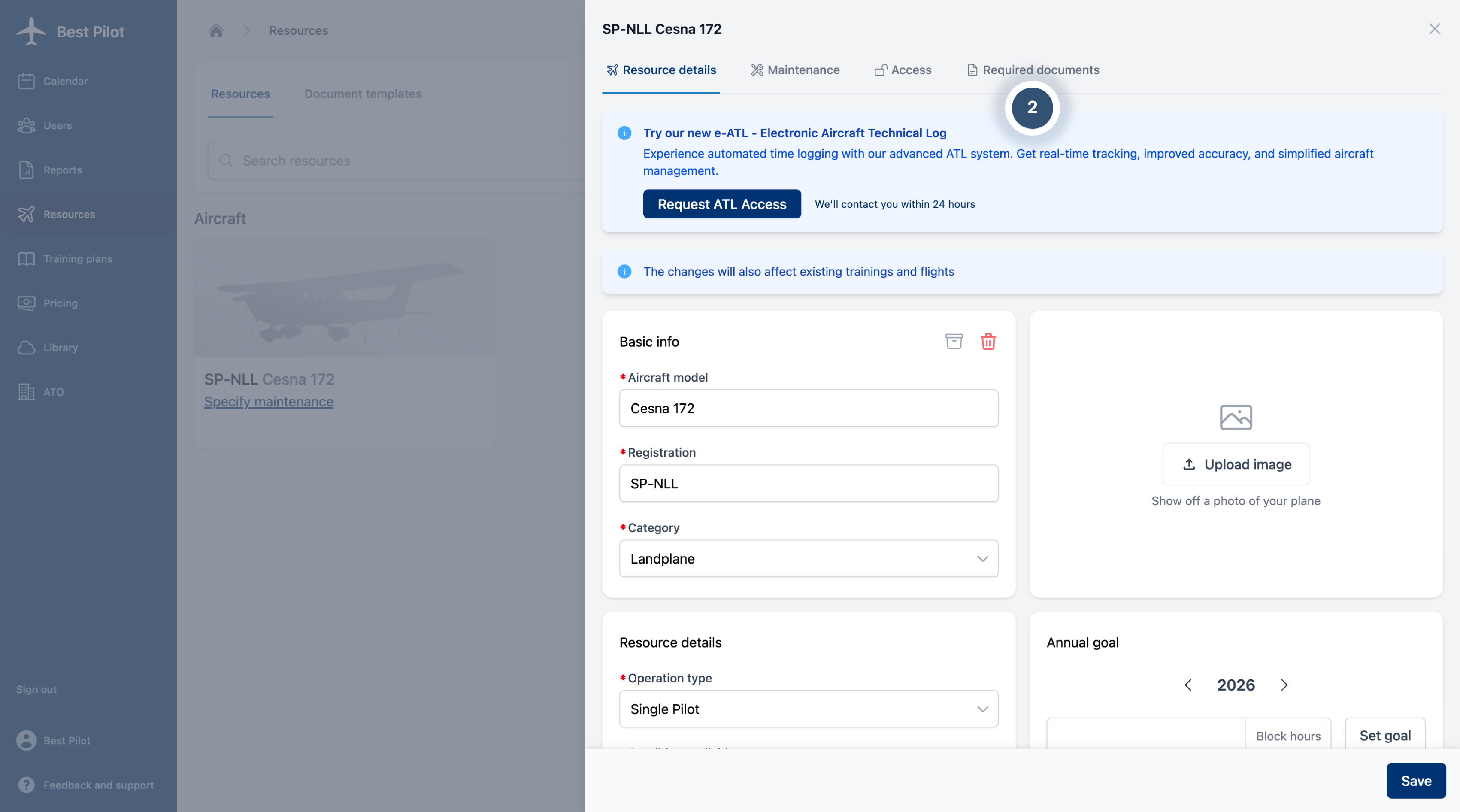
2. Navigate to Required documents (2) section
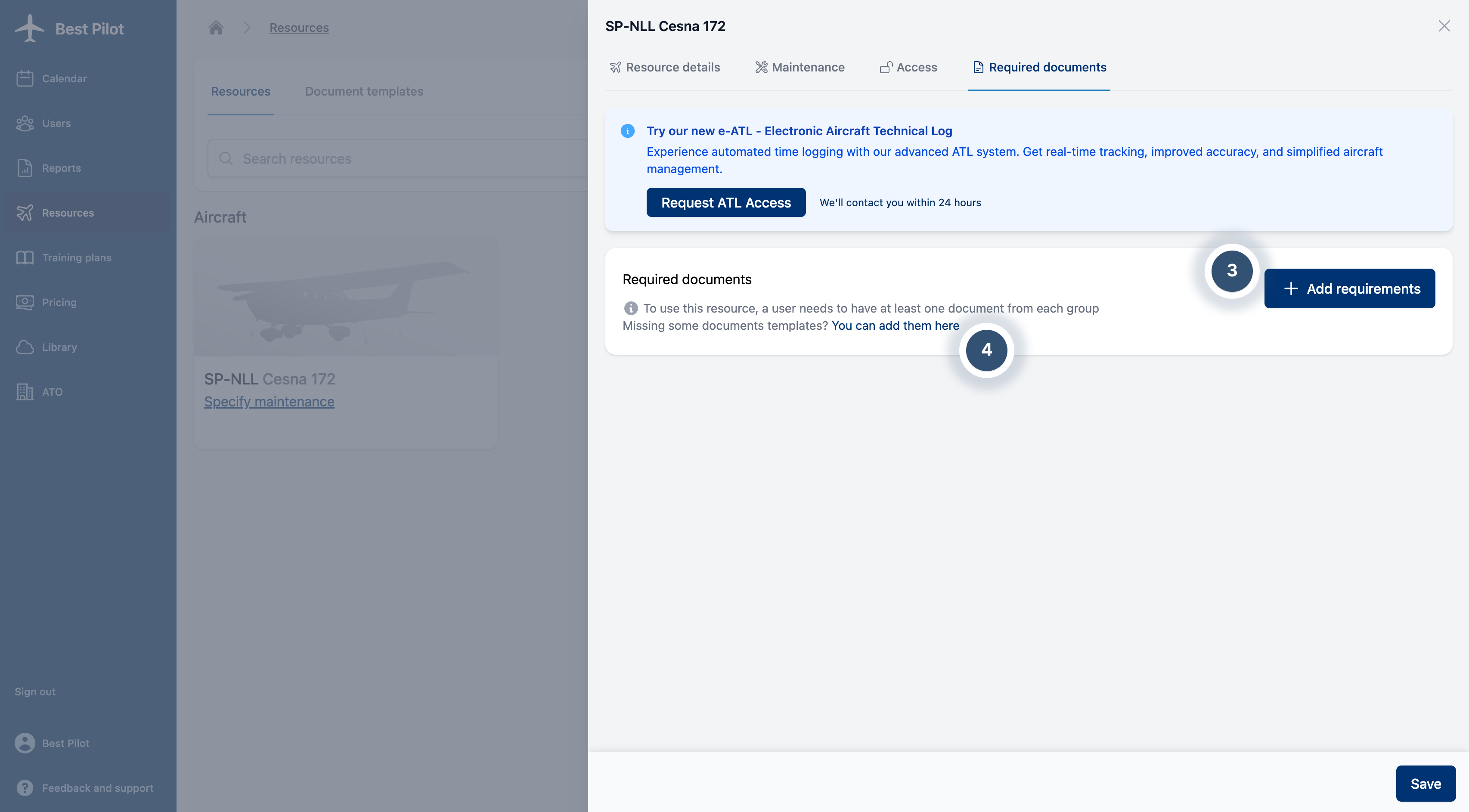
3. You can add new document requirements (3) or create a document template if one has not yet been established. (4)
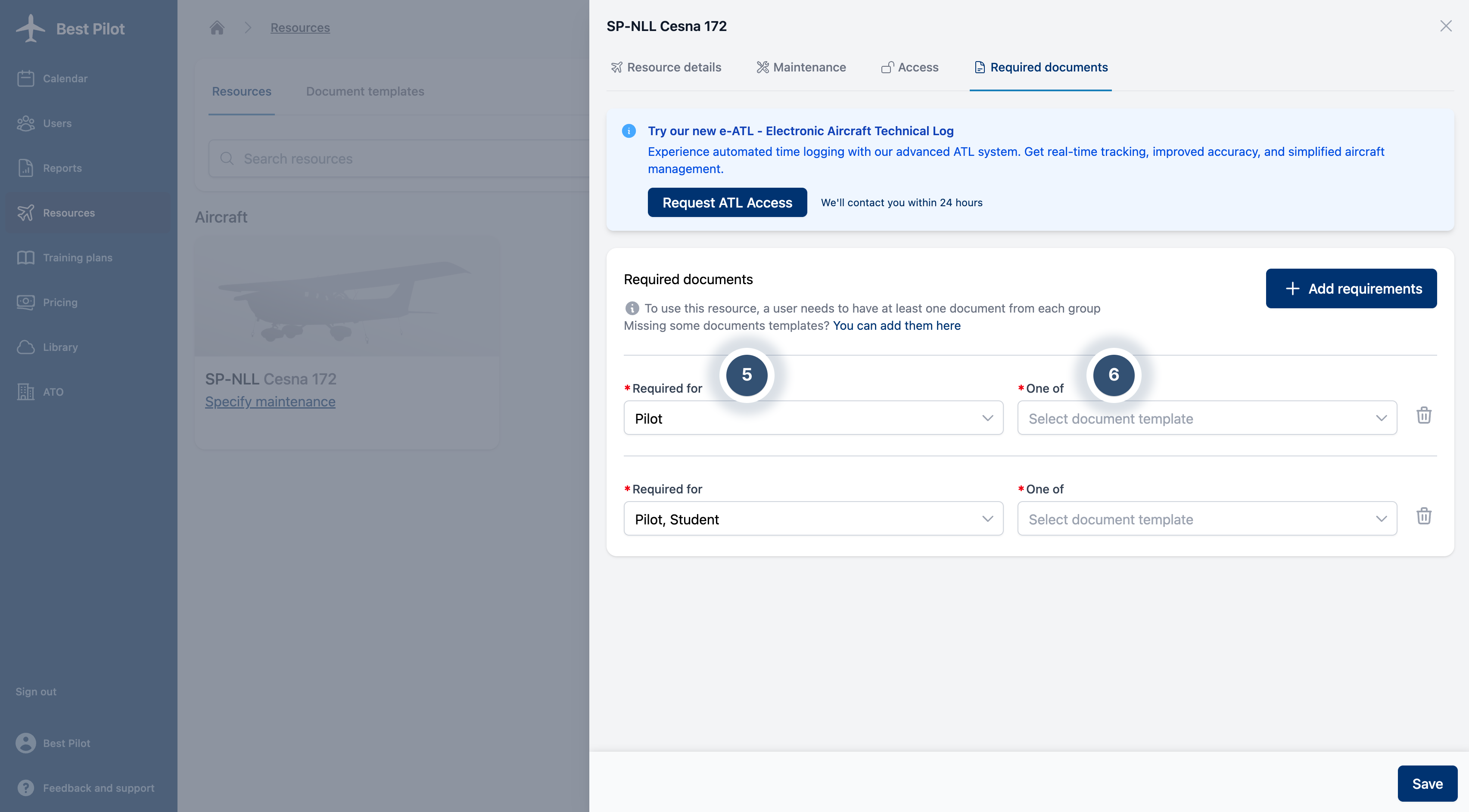
4. Two fields are available:
Required for (5) – select the role for which the document requirement applies.
One of (6) – specify the document type that a user must possess to register a flight with the selected aircraft.
Multiple requirements can be added as needed, allowing you to specify a comprehensive set of documents that must be maintained for each role and aircraft type. This enables the system to enforce regulatory compliance by ensuring all applicable documentation is tracked and validated prior to flight operations.