
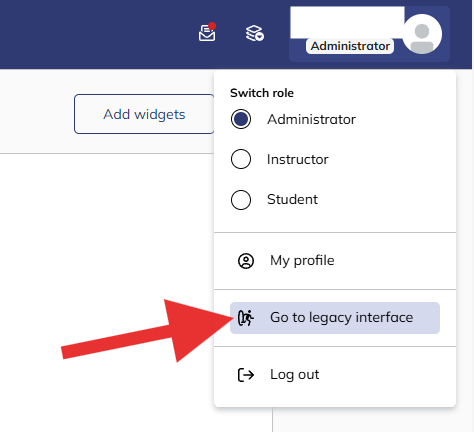
1. If you are currently using the updated user experience and wish to revert, locate your profile avatar in the top right-hand corner of your screen.
2. Hover over your profile image to reveal the user options menu, and click the Go to legacy interface button. The system will remember this device preference for your subsequent logins.
Summary
This procedure allows administrators and learners to toggle back to the classic TalentLMS layout individually.
2. Hover over your profile image to reveal the user options menu, and click the Go to legacy interface button. The system will remember this device preference for your subsequent logins.
Summary
This procedure allows administrators and learners to toggle back to the classic TalentLMS layout individually.