
-
Verify the completion of all slides Ensure you have clicked through every single slide in the module. Some units require you to view the very last second of a video or interact with every clickable element on a summary slide before the "Completed" status is triggered.
-
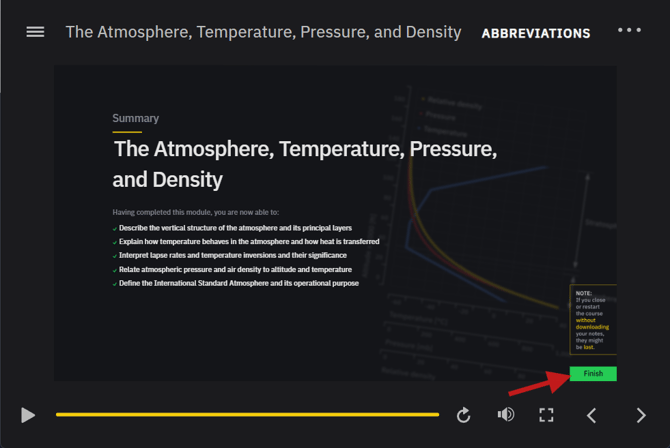
Check for the "Finish" or "Exit" button Always use the internal navigation buttons provided within the course player (usually labeled "Finish" or "Submit") rather than simply closing the browser tab. Using the internal exit button ensures that the SCORM data is sent successfully to the TalentLMS server.
-
Look for unanswered interactions Go back through the module and ensure no interactive elements were skipped. Make sure you submitted the answer for the knowledge checks at the end of the subchapters.
- Ask your instructor to manually complete If the lesson is still shown as incomplete, even though you have properly displayed all slides. You may contact your flight school instructor/admin, who can manually mark the module as complete.
Note: Using multiple devices or tabs simultaneously can cause "Session Overlap," where one session overwrites the progress of another. Always study using a single browser window to ensure your progress is recorded accurately.
Summary This guide helps users identify why a module status hasn't updated, focusing on navigation habits, missed interactions, and the correct way to exit the course player to ensure progress is saved.