
Overview
The Evionica Weight & Balance solution integrates with external Departure Control Systems (DCS) to retrieve passenger, baggage, and flight-related information required for load control operations.
In some situations, communication between the Evionica W&B application and the DCS may fail or the requested data may not be available. When this occurs, the system displays an error message designed to help users understand the issue and determine the appropriate next steps.
This article explains the most common DCS-related error messages and their meaning.
DCS Integration Temporarily Unavailable
Message
DCS integration is temporarily unavailable. Please try again in a few minutes.

Cause
This message is typically displayed when the integration platform returns a temporary server-side error, such as:
-
504 GATEWAY_TIMEOUT
-
503 SERVICE_UNAVAILABLE
-
502 BAD_GATEWAY
These errors indicate that the DCS or the integration layer did not respond successfully within the expected time or is temporarily unavailable.
Recommended Action
- Wait a few minutes.
- Retry the operation.
- If the issue persists for an extended period, contact Customer Success.
DCS Unavailable
Message
DCS is unavailable. Report to Customer Success at support.wb@evionica.com

Cause
The Evionica W&B application is unable to establish communication with the DCS.
Possible reasons include:
- DCS outage
- Network connectivity issues
- Integration platform disruption
- Temporary service interruption on the DCS side
Recommended Action
- Verify your internet connection.
- Retry the operation after a few minutes.
- If the problem continues, contact Customer Success at support.wb@evionica.com and provide:
- Flight number
- Date of operation
- Screenshot of the error message
- Time when the issue occurred
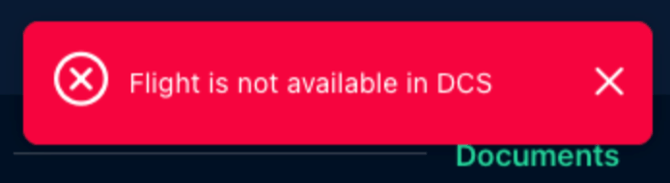
Flight Is Not Available in DCS
Message
Flight is not available in DCS
Cause
The requested flight could not be found in the connected DCS.
This may occur when:
- The flight has not yet been created in the DCS.
- The flight number or date is incorrect.
- The flight has been cancelled.
- The flight is outside the synchronisation window configured in the DCS.
Recommended Action
- Verify the flight number and date.
- Confirm that the flight exists in the DCS.
- Contact the airline's DCS team if the flight should be available.
- If the issue persists, contact Customer Success.
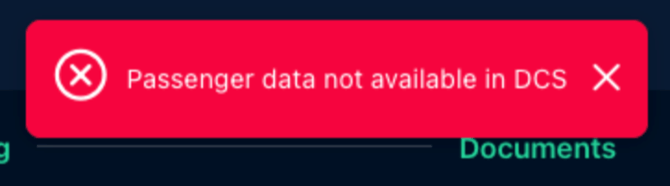
Passenger Data Not Available in DCS
Message
Passenger data not available in DCS
Cause
The flight exists in the DCS, but passenger information has not yet been made available to the Evionica W&B application.
Possible reasons include:
- Passenger data has not yet been transmitted by the DCS.
- Synchronisation between systems is delayed.
Recommended Action
- Verify that passenger check-in activities have begun.
- Wait a few minutes and refresh the data.
- If passenger information should already be available, contact Customer Success for further investigation.
Additional messages


When to Contact Customer Success
Contact Customer Success when:
- A DCS-related error persists after multiple retry attempts.
- Flight or passenger data is expected to be available, but cannot be retrieved.
- The system displays a DCS Unavailable or DCS Integration Failure message.
- The issue affects operational activities and prevents completion of weight and balance tasks.
For assistance, please contact: