
Every document can be shared via e-mail or SITA. Adressbook can be set up so the recipients list is automatically propagated depending on the flights Departure and Arrival airports.
Since different departments are responsible for processing of selected documents, separate Addressbook can be defined for every document type.
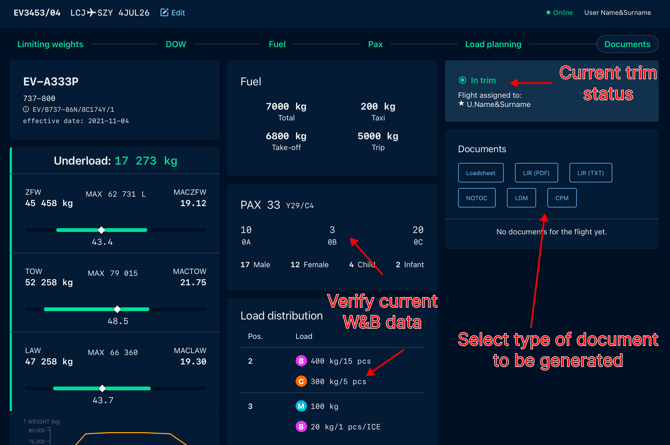
Detailed instructions for creating, configuring and distributing individual document and message types are available in the dedicated articles below:
- Loadsheet
- Loading Instruction and Report (LIR)
- Container Pallet Message (CPM)
- Load Distribution Message (LDM)
- Movement Messages (MVT DEP & ARR)
Updating Documents
At any point you can get back to the process to add or correct some details. New revision of documents is created in the same manner on the DOCUMENTS step. If after performing changes, current data are different from the last revision of Loadsheet user is informed that new edition might be required.
Document revision management ensures that all generated documents and operational messages remain synchronized with the latest flight data and load distribution information.