Your Evionica Weight&Balance can be integrated with a third-party EFB. The integration enables automatic delivery of digital copy of the Loadsheet directly to the Captain.
Loadsheet awaits acknowledgement
Upon clicking "Sign & save", the Loadsheet will be automatically sent to the Captain's EFB.
On the documents list you will find ⏳ (an hourglass icon) next to the Loadsheet indicating successful delivery and the fact that it awaits Captain's acknowledgment:
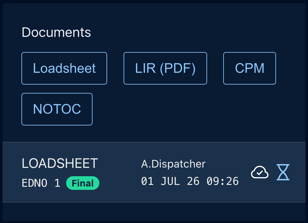
The status will also show above the particular document's preview:

You will also (being Owner of the flight) be notified about the fact with a notification:

Loadsheet accepted
Using the EFB Captain will accept the Loadsheet at their discretion. On the documents list you will find ✅ (an acceptance icon) next to the Loadsheet indicating the fact:
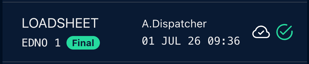
The status will also show above the particular document's preview; with Captain's (optional) instruction (e.g., "All correct"):

You will also (being Owner of the flight) be notified about the fact with a notification:

Loadsheet rejected
Using the EFB Captain may reject the Loadsheet at their discretion. On the documents list you will find ❌ (a rejected icon) next to the Loadsheet indicating the fact:
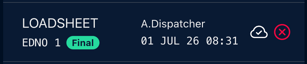
The status will also show above the particular document's preview; with Captain's (optional) instruction (e.g., "Block fuel shall be 7 200 kg"):

You will also (being Owner of the flight) be notified about the fact with a notification:

Issue an amended Loadsheet to send corrected EDNO.
Delivery error
Whenever there's a problem with document's delivery to the EFB system, on the documents list you will find ⚠️ (a warning icon) next to the Loadsheet indicating the delivery error:
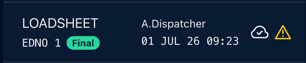
The status will also show above the particular document's preview:

You will also (being Owner of the flight) be notified about the fact with a notification:

Issue a new EDNO of the Loadsheet to retry delivery. Repeating delivery of the same EDNO is not available.
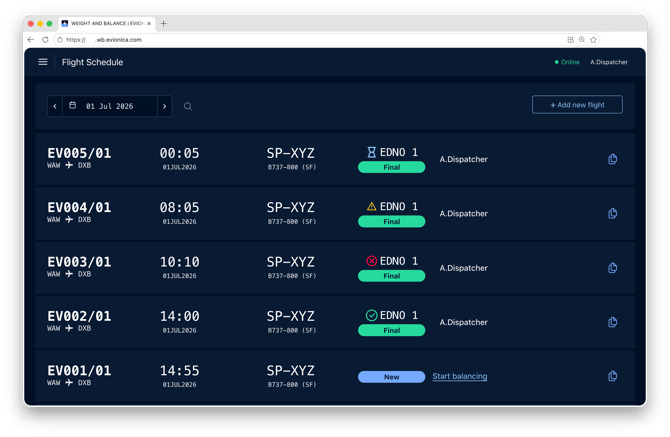
Loadsheet status on Flight Schedule
Status of the most recent Loadsheet (its last EDNO) is also displayed on the Flight Schedule: