
Limiting Weights
MTOW and MLAW can be manually adjusted at this step if there is a need for additional reduction due to runway or aircraft condition.
At the same time it is never possible to increase any of the limiting weights from the user perspective.
First step is optional—lower the maximum weights only on Pilot’s request.
Consecutive steps will become available after you provide all necessary data.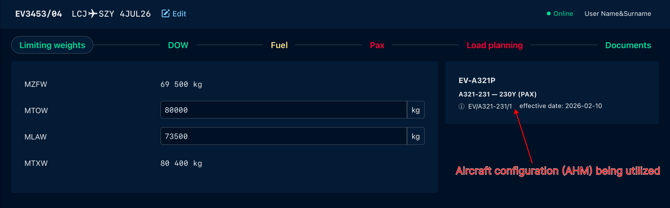
Dry Operating Weight
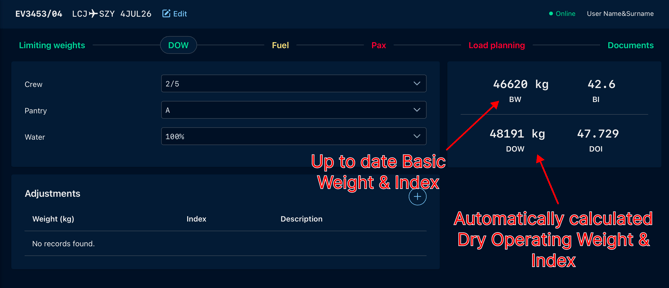
To calculate the appropriate Dry Operating Weight (DOW) and Index the load controller must provide information on crew, pantry, and other operational items that must be included in this weight. The starting point in the calculation is Basic Weight and Basic Index which are visible at the top of the page and they come from the fleet database.
Select configuration options to determine Dry Operating Weight.
Extra operational items not included in basic weight, can be defined in the adjustment section. For each item the weight and requested index correction must be provided, also some short description of the adjustment can be written.
For repeating operational items to be included by default, they can be specified during aircraft setup and implementation or at any other point during the exploitation.
To define these items please contact support.wb@evionica.com
Fuel
Fuel section must be filled in at least with some estimates in order to proceed with Load Planning.
Select fueling procedure
The appropriate fueling schedule must be selected by the user at this stage, in case if the ballast fuel has been previously declared in the DOW and it requires a special schedule to be applied- the notification will be presented to the user.
Enter fuel data
The loadcontroller must enter the amount of Block Fuel (Total weight of usable fuel), as well as weights required for Taxi and Trip..
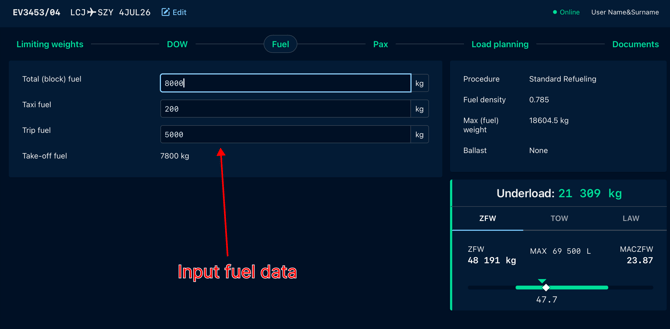
Evionica W&B solution software provides initial validation of the entered weights.
The block fuel must be lower than the maximum fuel capacity.
This approach ensures reduction of the typo mistakes and accidental confusion of block, trip, and taxi forms.
Pax
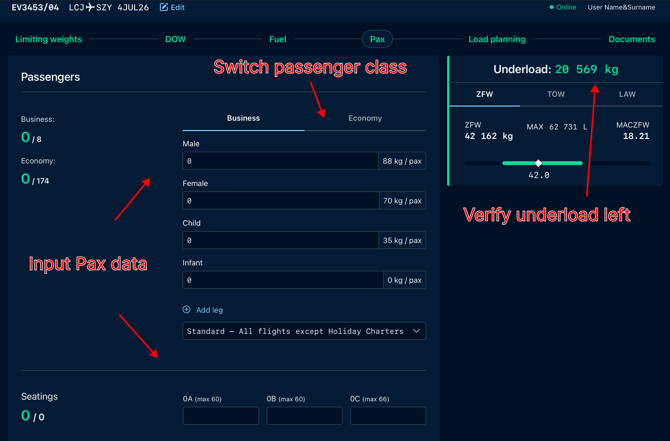
Enter information on passengers numbers, their seating and choose pax weight configuration regarding type of flight.
If more than one passenger class is available for the given aircraft type, switch between the classes using tabs and enter number of passengers traveling in each of them.
The number of passengers can influence the maximum number of seats available in the aircraft as some airlines block one extra seat to improve the comfort of travel of first-class passengers.
Load planning
On the right part of the Load Planning screen, here’s a set of indicators helping the loadmaster judge the trim condition.
It is mandatory to provide both total weight of the baggage and number of pieces. Average piece weight is computed and used for load distribution.
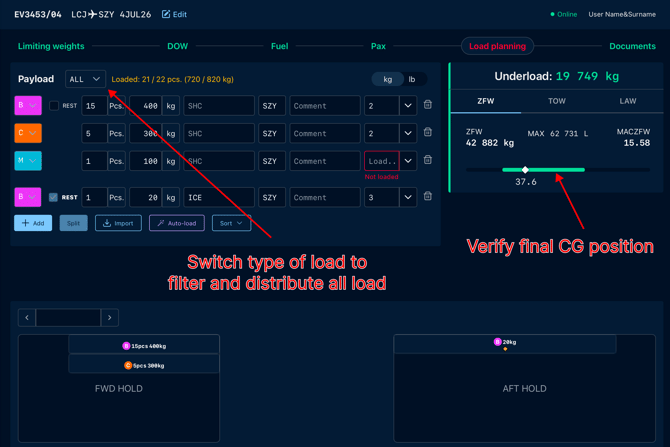
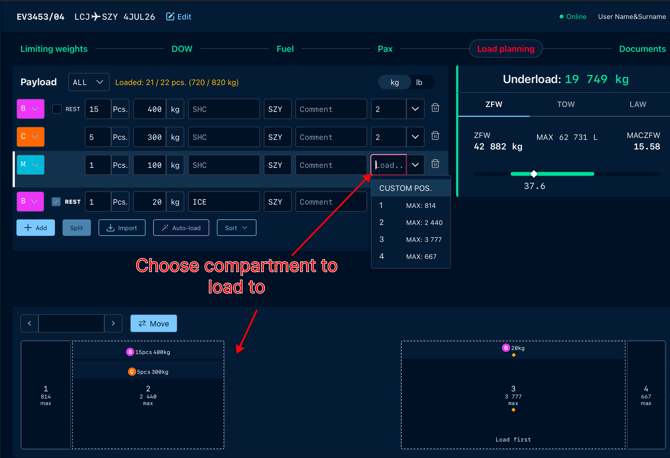
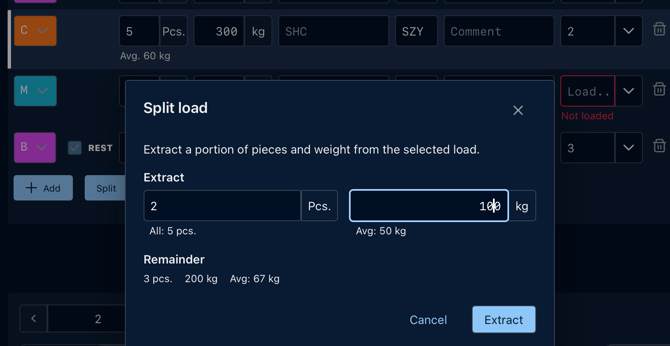
If there are some items which require to be handled separately due to their irregular shape or weight, they must be specified using the split function, they are then extracted from the total of baggage and a different average weight is used to calculate their influence on trim.
Error notifications
Errors are indicated both on the Payload list and on a Deck map, so looking at the map user can quickly verify which item requires their attention. Selecting item on a Payload List/ Deck Map allows to check explanation of the error.
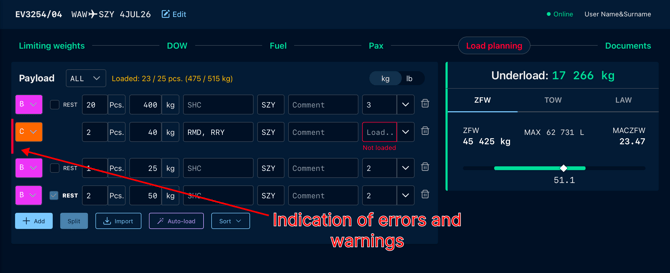
Expand element by click it to see what’s wrong:
