
Your Evionica Weight&Balance can be integrated with a third-party system where your airline manages flights. The integration enables automatic population of Flight Schedule with flights created with the system (e.g., FPS, FSS, or FMS).
Flight schedule
The flights will show up on the Flight Schedule list covering information on the:
- Flight Number
- on the Operational day
- scheduled time of departure (STD)
- its route:
- Departure
- and Destination stations
- operating Aircraft (tail no.)
Flights will show with an initial, "New" status:

Click Start balancing to engage the flight and start load planning.
♺ Synchronization schedule
All information is synchronized on a periodic basis every 2–10 minutes. You may experience a slight delay between data entry in the third-party integrated system and it showing up in Evionica Weight&Balance
✈ Aircraft swap
Whenever an aircraft (its tail no.) is changed, all the operational data are reset on a given flight. Only the payload list is retained but still all items being off-loaded.
Operational data
Integration also brings automatic synchronization to select operational data:
- Crew composition
- Estimated Fuel Figures
Crew
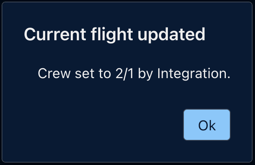
User assigned to the flight (its Owner) will be notified about every change of the Crew composition.
While being out of the flight with a notification—click it to jump to the flight's dashboard:

Or, being within the flight, with a modal—acknowledge it by clicking Ok:
Fuel
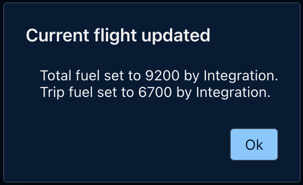
User assigned to the flight (its Owner) will be notified about every change of the planned Fuel Figures.
While being out of the flight with a notification—click it to jump to the flight's dashboard:

Or, being within the flight, with a modal—acknowledge it by clicking Ok:
🔗 Data integrity
Data from the integrated system takes precedence over information input manually by the user. Data you enter manually will be overwritten with an information from the third-party integrated system (e.g., FPS, FSS, or FMS).