
Note: The Forgot your password? functionality will only work for active accounts. If you have not yet logged in to your account, or if your account was deactivated, the password reset code will not be sent.
In order to reset your password, please:
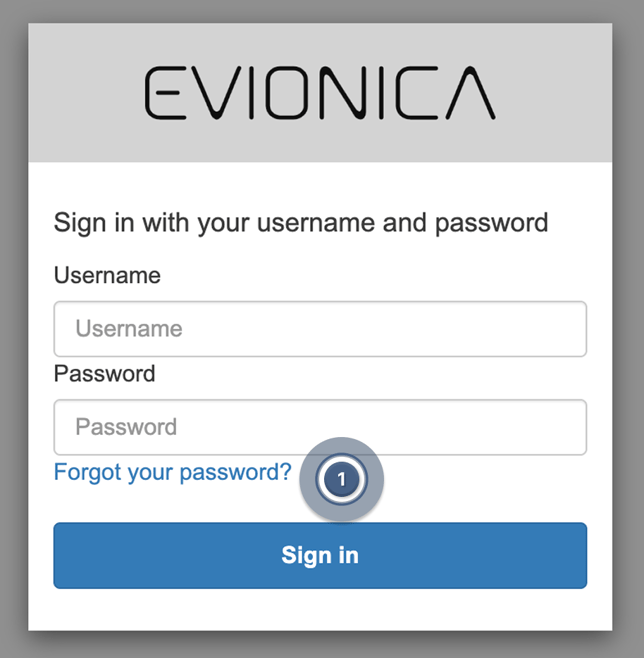
- Click on Forgot your password? link on the log-in page ( 1 ).
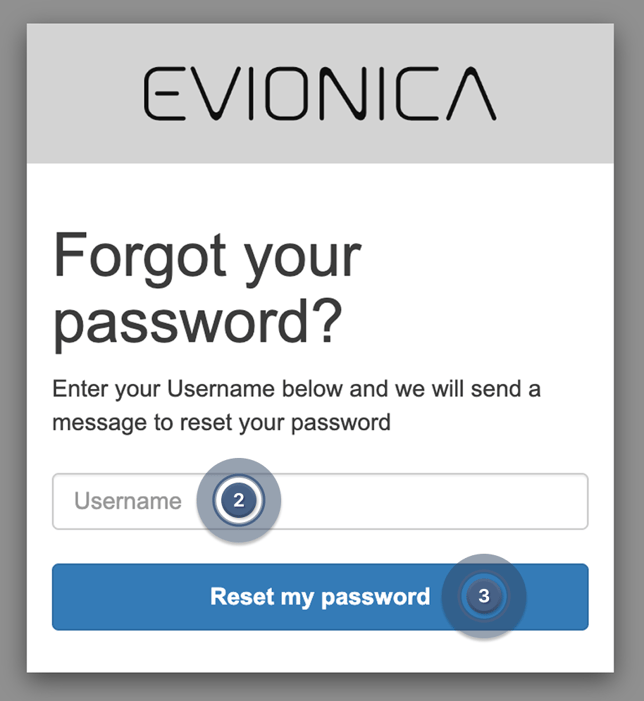
- Enter your username ( 2 ) and click on Reset my password ( 3 ).
 An email containing a one-time code will be sent to the associated email address or phone number.
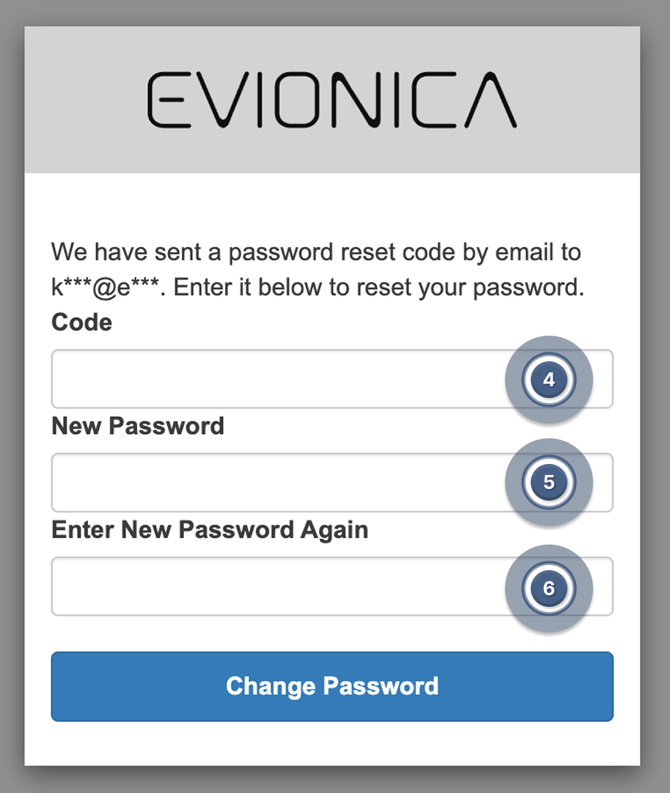
 - Type in the one-time password reset code ( 4 ), your new password twice ( 5 ) ( 6 ) and click on Change password.
Voilà, you have succesfully changed your password.
Note: If the username is incorrect or non-existent, the system will still display a message that the reset code was sent to an arbitrary email address or phone number. This is to prevent potential malicious activity by determining which email addresses were registered to the system.
Can't see the email? Please reference How to receive emails from Evionica W&B