
Note: The Forgot your password? functionality will only work for active accounts. If you have not yet logged in to your account, or if your account was deactivated, the password reset code will not be sent.
In order to reset your password, please:
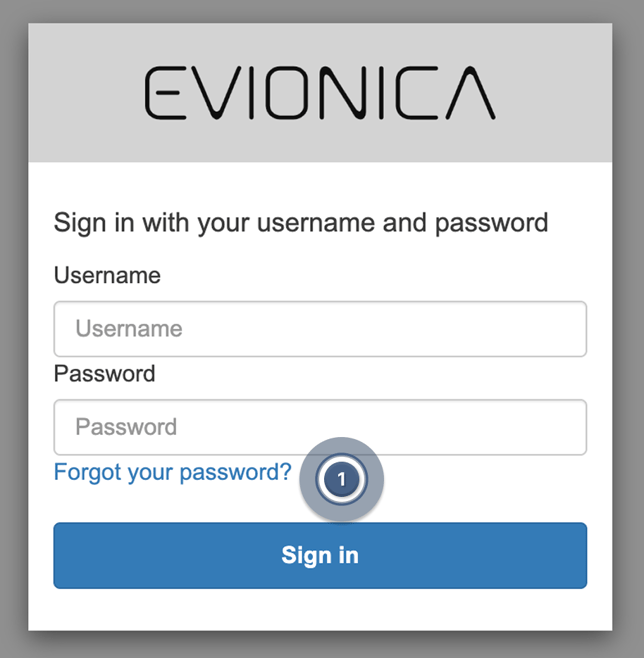
- Click on Forgot your password? link on the log-in page ( 1 ).
- Enter your username ( 2 ) and click on Reset my password ( 3 ).
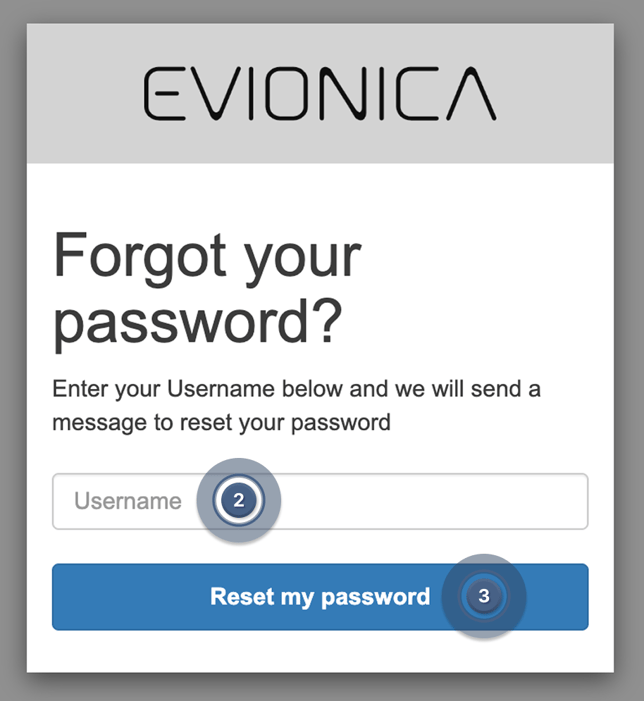 An email containing a one-time code will be sent to the associated email address or phone number.
The login is case-sensitive. Make sure you use the correct capitalization and do not include any spaces.
- Type in the one-time password reset code ( 4 ), your new password twice ( 5 ) ( 6 ) and click on Change password.
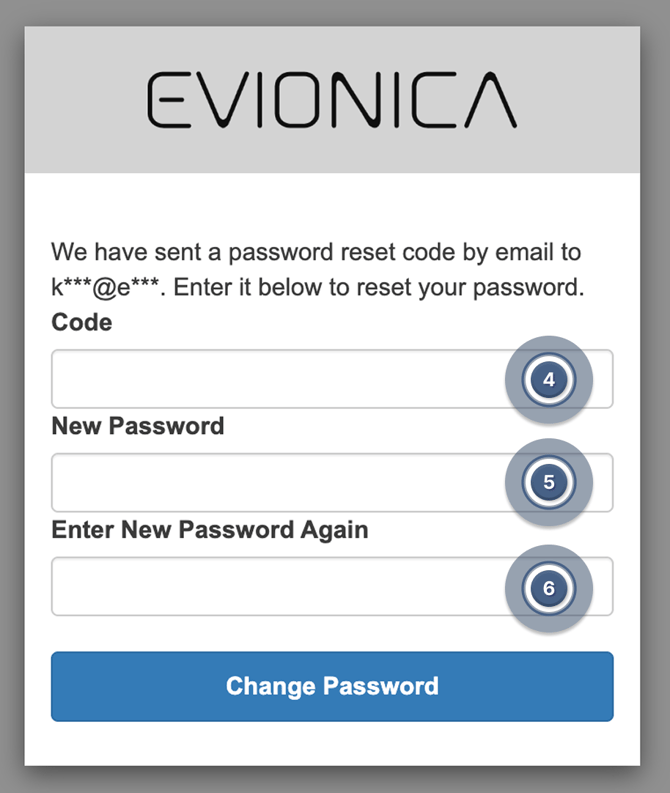
Voilà, you have successfully changed your password.
If the username is incorrect or non-existent, the system will still display a message that the reset code was sent to an arbitrary email address or phone number. This is to prevent potential malicious activity by determining which email addresses were registered to the system.
If a phone number is assigned to the account, the temporary password will be sent via SMS instead of email. To receive the temporary password by email, please remove the phone number from the account details.
Can't see the email? Please reference How to receive emails from Evionica W&B