
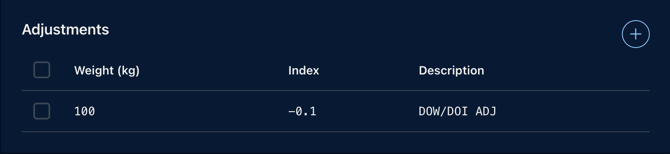
The adjustments window ( 1 ) is located on the DOW step ( 2 ) of each flight and can be accessed by the Load Control agent assigned to a flight at a given moment.
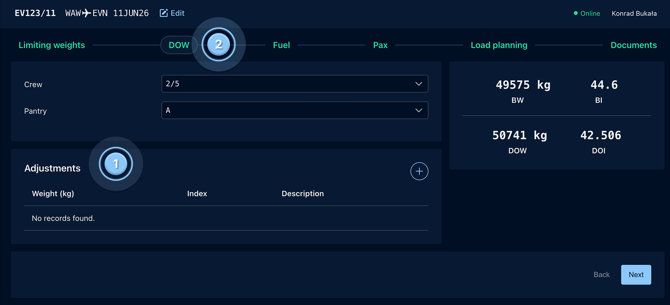
To add a new adjustment:
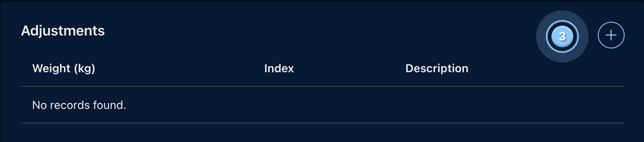
- Click on the + icon ( 3 )
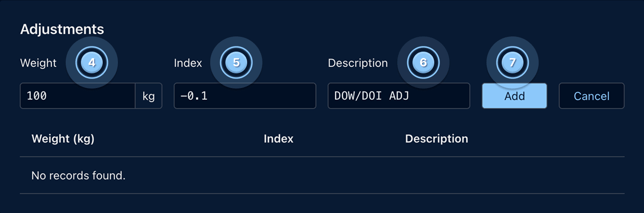
- Type in the weight ( 4 ), index influence - can be positive or negative ( 5 ), the description ( 6 ) and click on Add ( 7 )
Note: the description will be included on the Loadsheet in the CAPTAIN INFORMATION/NOTES section as well as on the document dashboard under crew and pantry.
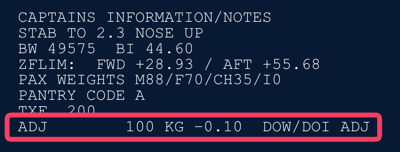
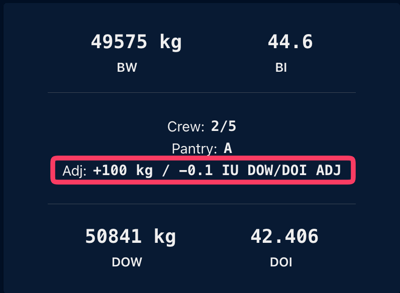
The added Adjustment will look like this
Caution: Please remember to click the Add button after entering all the adjustment values, as otherwise, the data will not be saved.