Applies only to users logging in for the first time
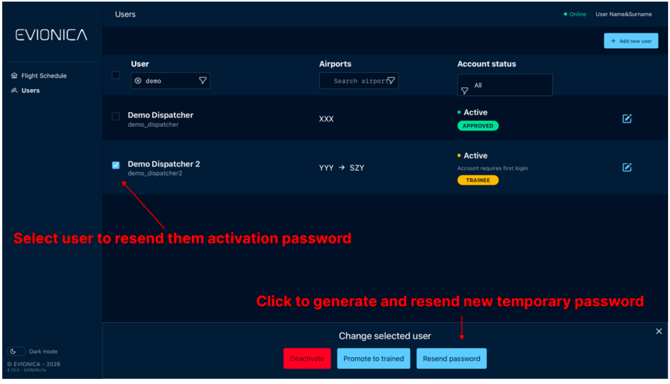
Please select the user for which you want to resend the new activation message
containing a temporary password and click on Resend password.
The password will be sent to the account’s Phone number or E-mail address - if both are provided, the phone number will be used.
If the contact information was not provided, the application will display the new credentials.