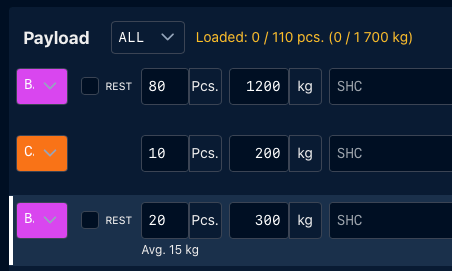
The original entry contains:
- 100 pieces
- 1,500 kg
This gives an average of 15 kg per piece.
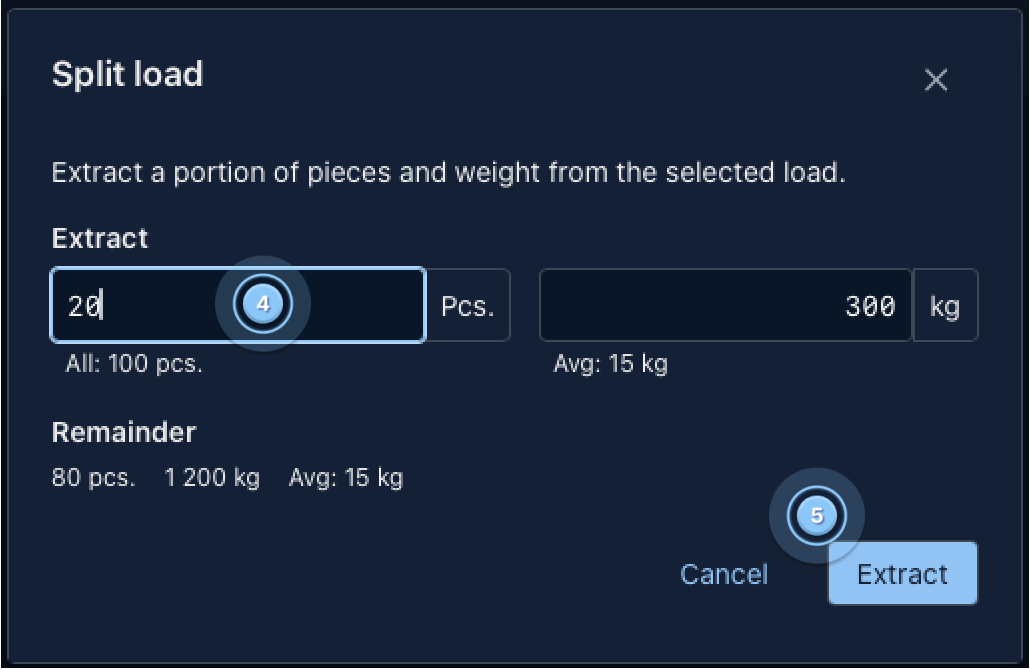
If you split 20 pieces, the system calculates their weight as 300 kg.
After the split:
- New entry: 20 pieces / 300 kg
- Remaining entry: 80 pieces / 1,200 kg
In this case, the average weight remains 15 kg per piece.
This is useful when you simply want to divide the baggage into separate load entries without changing its average weight.
To split a load while keeping the average weight, please:
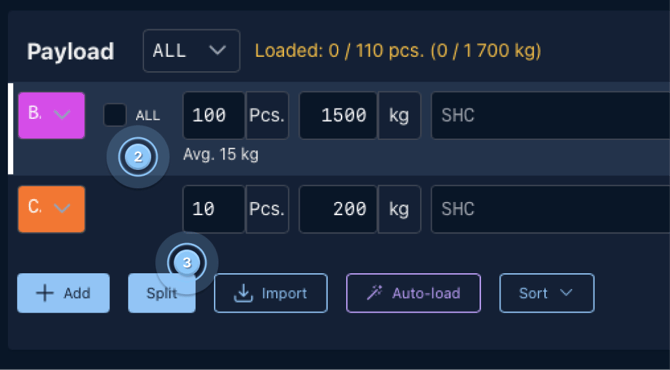
1. Go to the Load Planning tab ( 1 ), Select the load entry you want to split ( 2 ), Click Split ( 3 ).

2. Enter the number of pieces you want to separate ( 4 ) and click Extract ( 5 )
The new entry can then be handled separately in Load Planning.