This may apply to items such as:
⛷️ ski equipment
♿ wheelchairs
🏂 sports equipment
📦 other non-standard baggage or special items
Example
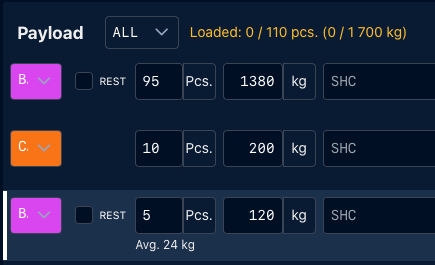
The original baggage entry contains:
- 100 pieces
- 1,500 kg
You need to separate 5 pieces of sports equipment and you know that their actual total weight is 120 kg.
Using Split, you can enter:
- 5 pieces
- 120 kg
The system separates these items from the original entry using the weight you have provided.
This way, items with different weight can be represented separately instead of being treated according to the original average baggage weight.
To split a load with custom weight, please:
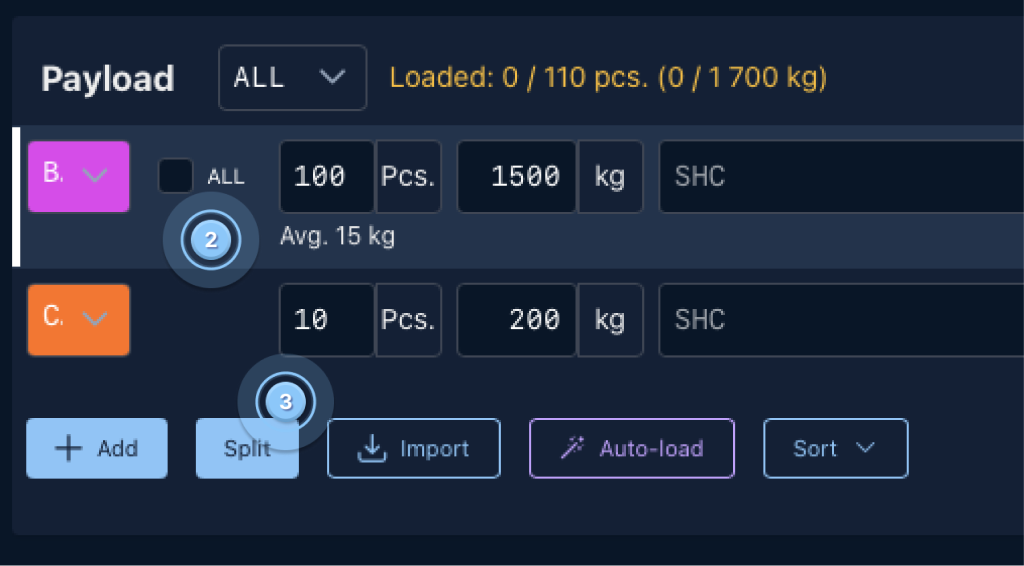
1. Go to the Load Planning tab ( 1 ), Select the load entry you want to split ( 2 ), Click Split ( 3 ).

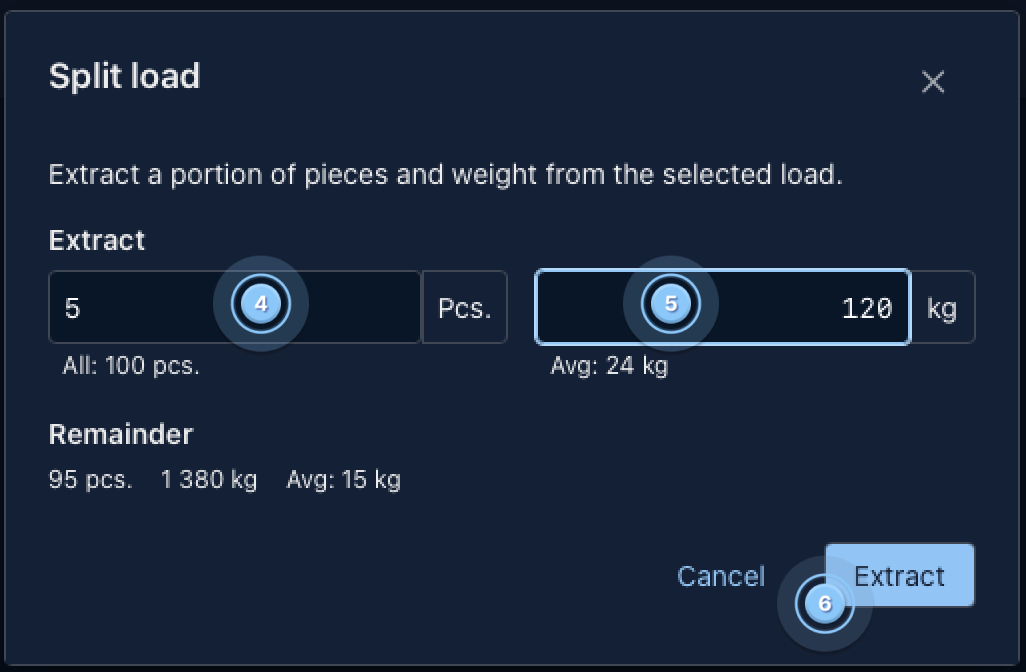
2. Enter the number of pieces you want to separate ( 4 ), enter a custom weight for the selected pieces ( 5 ) and click Extract ( 6 )
The new entry can then be handled separately in Load Planning.