
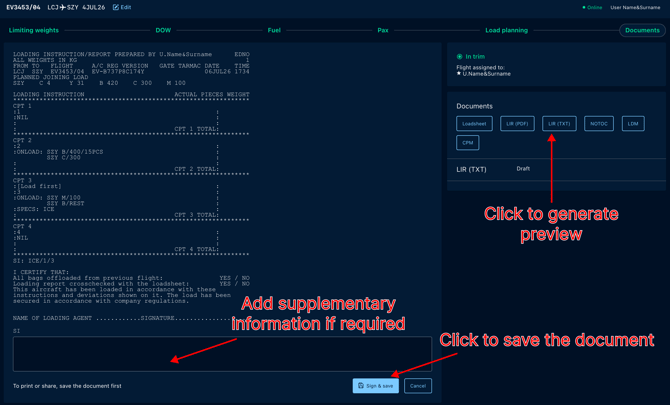
Click on the LIR button, the preview would be generated. You can add Supplementary Information if required and save the document to share it with the Loading Supervisor.
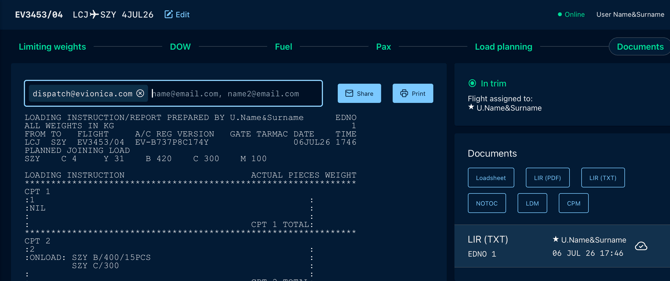
Your document is ready to be printed or shared.
Updating Documents
At any point you can get back to the process to add or correct some details. New revision of documents is created in the same manner on the DOCUMENTS step.
To navigate back to dashboard containing the preview of current parameters You must click on the Trim Indicator tab at the top right corner.