
Click on the Loadsheet button and the document preview will be generated.
Once the aircraft is correctly balanced the loadsheet preview is accessible. It is formatted according to IATA standard and at the bottom there is an SI section containing some auto-generated comments like DGRs information, but user can also add some free text in the box below.
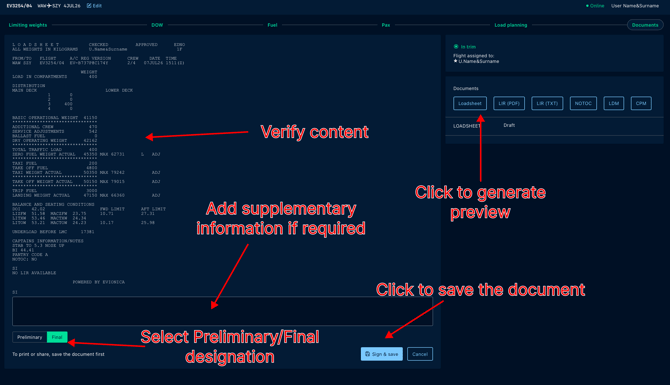
Loadsheet can be saved as Preliminary or Final, the appropriate designation should be selected at the bottom of the page prior to saving.
Save the document to share it with the flight crew or ground handling personnel.
To navigate back to dashboard containing the preview of current parameters You must click on the Trim Indicator tab at the top right corner.