Click on the MVT button and the message preview will be generated.
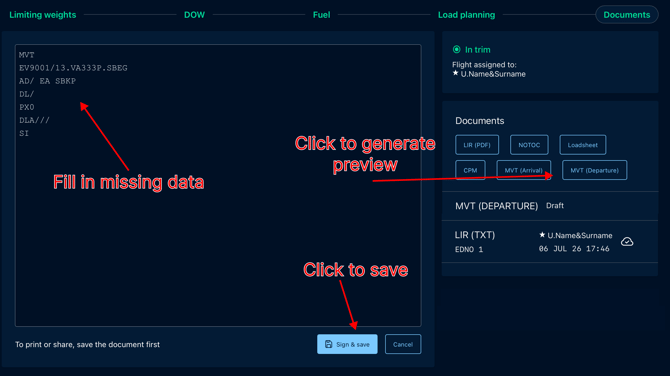
Templates are given separately for Arrival and Departure message; the actual timestamps and delay codes must be input manually.
To navigate back to dashboard containing the preview of current parameters You must click on the Trim Indicator tab at the top right corner.
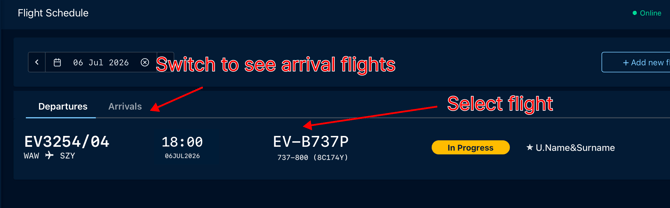
Arrival Flights are available on the Flight Schedule. Select Flight to send the MVT message on arrival.