
Only the latest revision of each document can be either printed or shared via e-mail. To share the documents the user must provide with at least one e-mail address and click on Share button. If there is more than one recipient, the e-mail addresses should be separated with a coma.
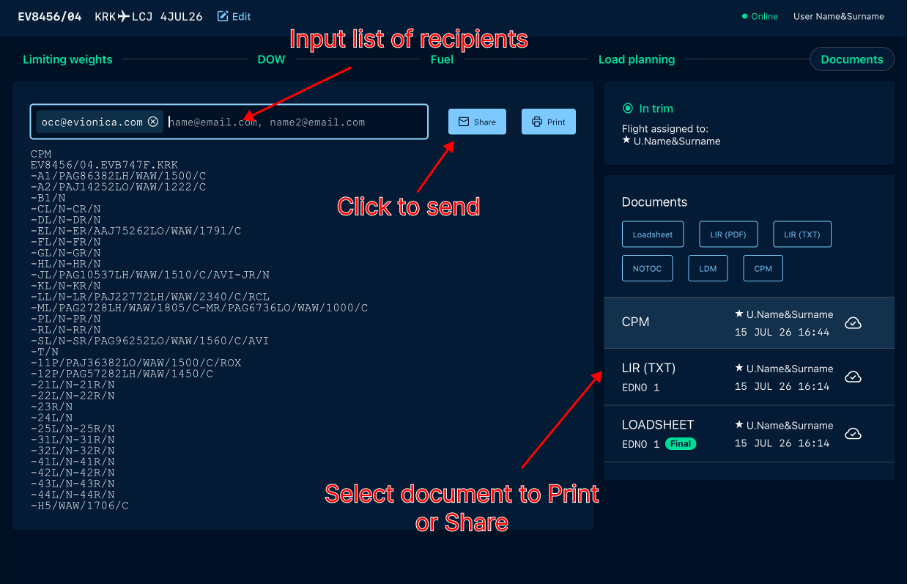
Sharing documents can be even easier if the appropriate e-mail / SITA addresses are suggested. Adressbook can be set up so the recipients list is automatically propagated depending on the flights Departure and Arrival airports.
Since diferent departments are reposnsible for processing of selected documents, separate Addressbook can be defined for every document type.
When it is configured the addresses will appear automatically in the forms designated for each document.
Browse previous revisions
If there is more than one revision already generated for the flight, they all can be preview on the DOCUMENTS step. For each of them there is information on the time of saving and revision author given.