
To deactivate an existing user, please select the account you wish to deactivate and click
on Deactivate. The user will no longer be able to access the system.
You can always re-activate the account to grant the access anew.
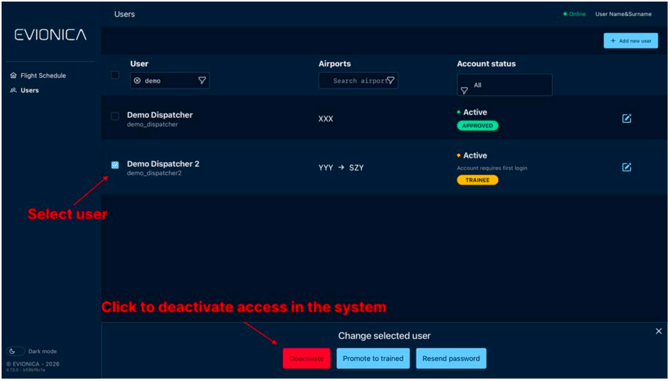
To deactivate an existing user, please select the account you wish to deactivate and click
on Deactivate. The user will no longer be able to access the system.
You can always re-activate the account to grant the access anew.